Know your sets, your cost and your profit before the bid goes out.
FoamCalc takes a spray foam job from measurements to a proposal for the customer, with the sets to order and the money worked out on the way.

On Google Play now. The iPhone app is not in the App Store yet.
Free board foot calculator. Pro takes the job to a bid. Sold in the United States and Canada.
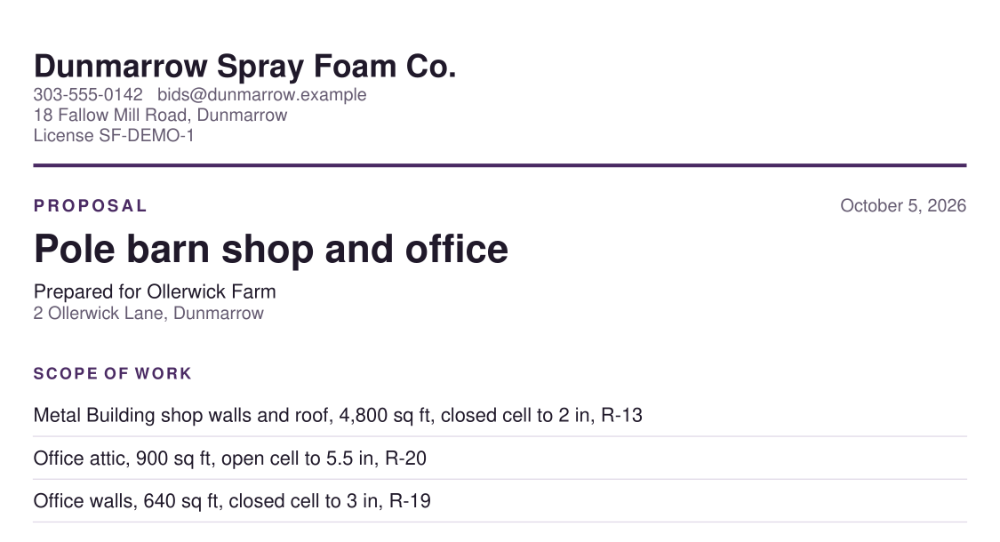
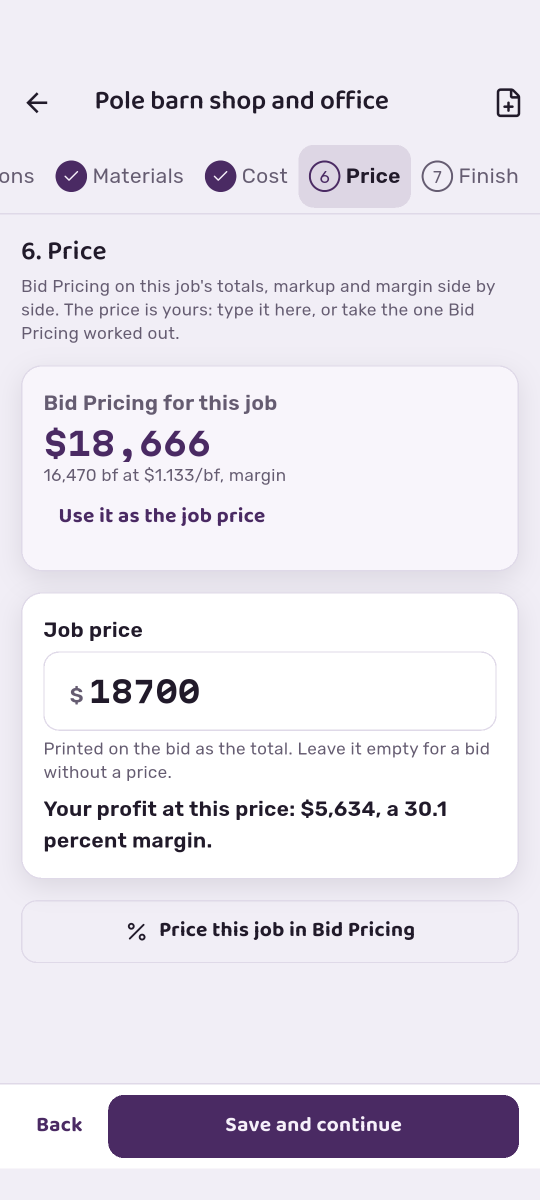
See your profit before you bid. Your customer sees one price.
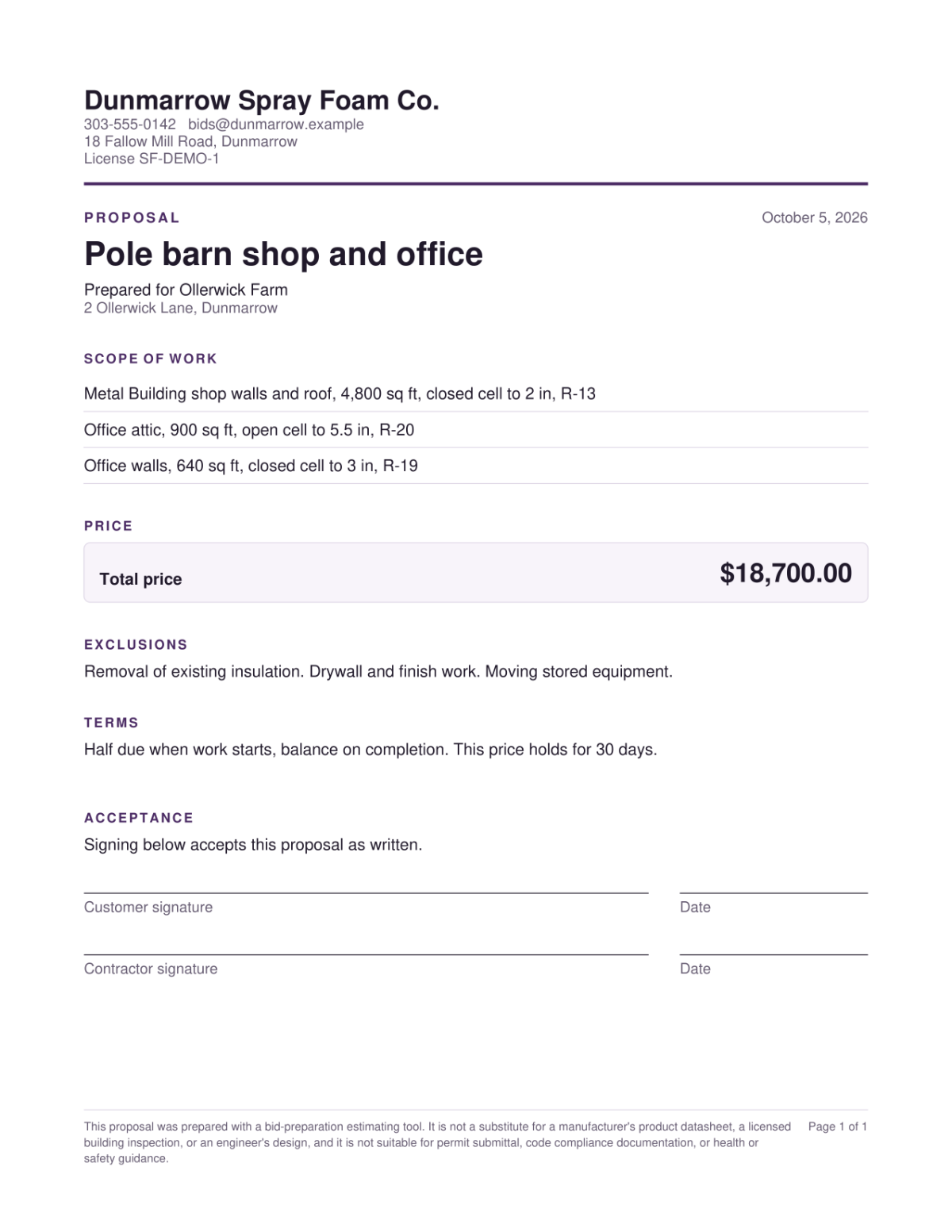
The same job, two views. Yours carries the cost, the markup and the margin. The proposal carries your business name, the scope by zone with R-values, one price, your exclusions and terms, and a place to sign. None of your costs, rates or margin go on it.
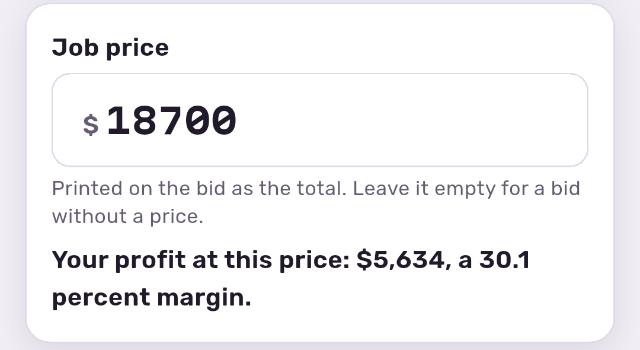
Bid Pricing works a price from the job's totals, with markup and margin side by side. The price is yours: type it, or take the one Bid Pricing worked out. Your profit at that price shows under it.
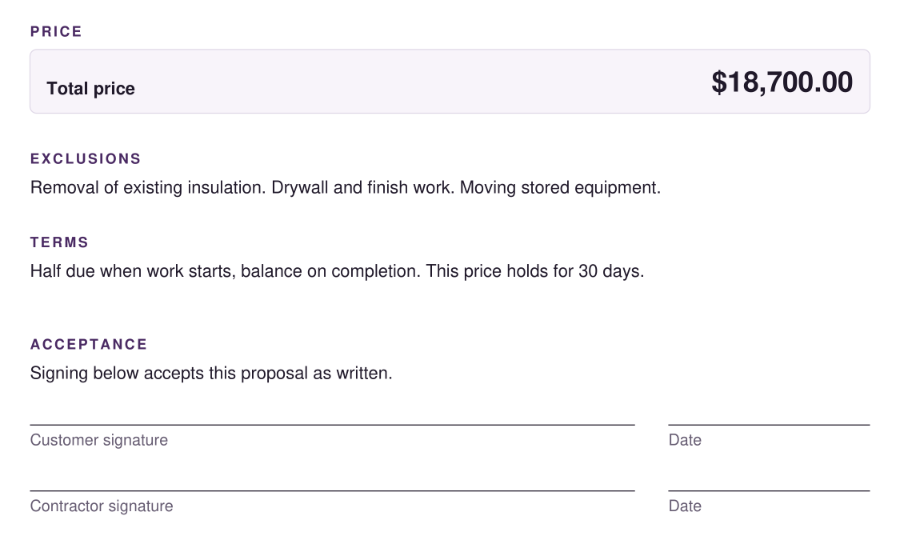
One total, your exclusions and terms, and a place to sign, under your business name. The proposal is a PDF you send from the phone.
A job in seven steps
From the customer's name to a bid, in the app's own order. Any step can be reopened.
- 1Job and customerThe job's name, the customer and the address.
- 2Zones and measurementsAttic, walls, rim joist, crawlspace or metal building, each with its own area, product and thickness.
- 3Job conditionsTemperature, humidity, equipment and trim, which take the yield off the drum label.
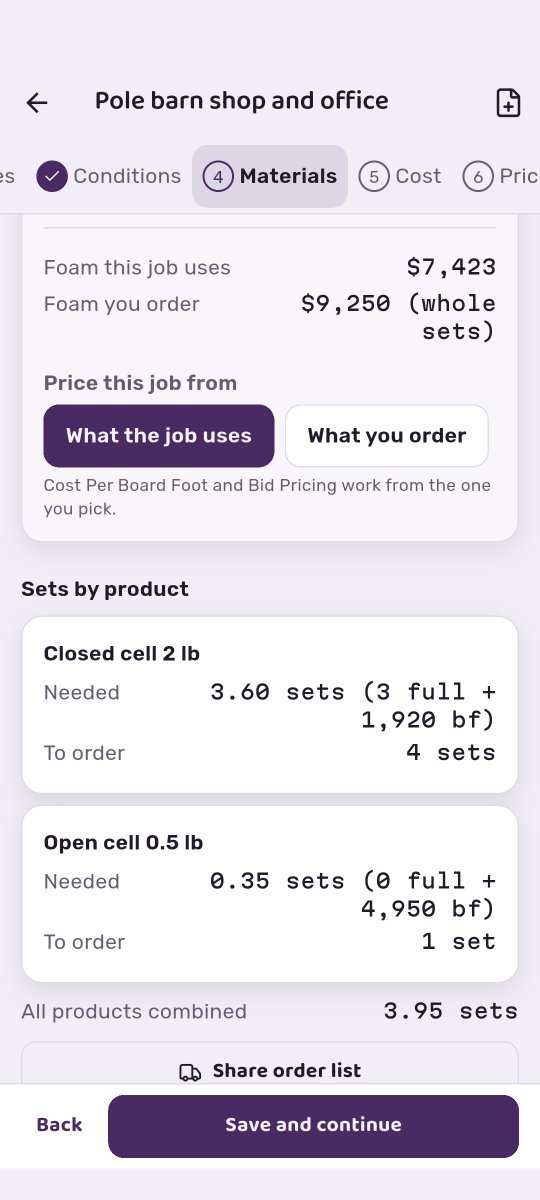
- 4MaterialsWhole sets to order by product, and the foam the job uses against the foam you order.
- 5CostMaterial, labor and overhead in dollars, from your own crew rate, hours, overhead and set costs.
- 6PriceMarkup and margin side by side, and your profit at the price you set.
- 7FinishMark the job Draft, Sent, Won or Lost, and hand off the proposal, the order sheet and the crew sheet.
Three documents from one job
Each one goes to a different person, and each one shows only what that person should see.
Hold the pointer over a document to see it at full size, or click to keep it open.
Tap a document to see it at full size. Tap again to close it.
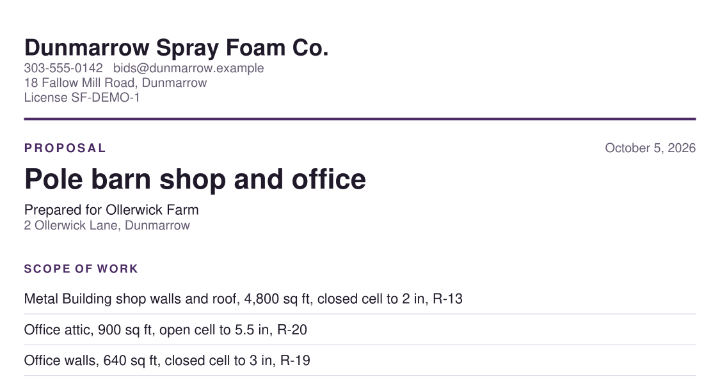
The proposal
Your business, the scope by zone with R-values, one price, your exclusions and terms, and a place to sign. None of your costs, rates or margin.
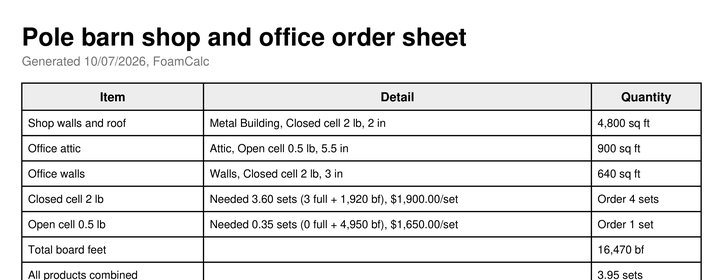
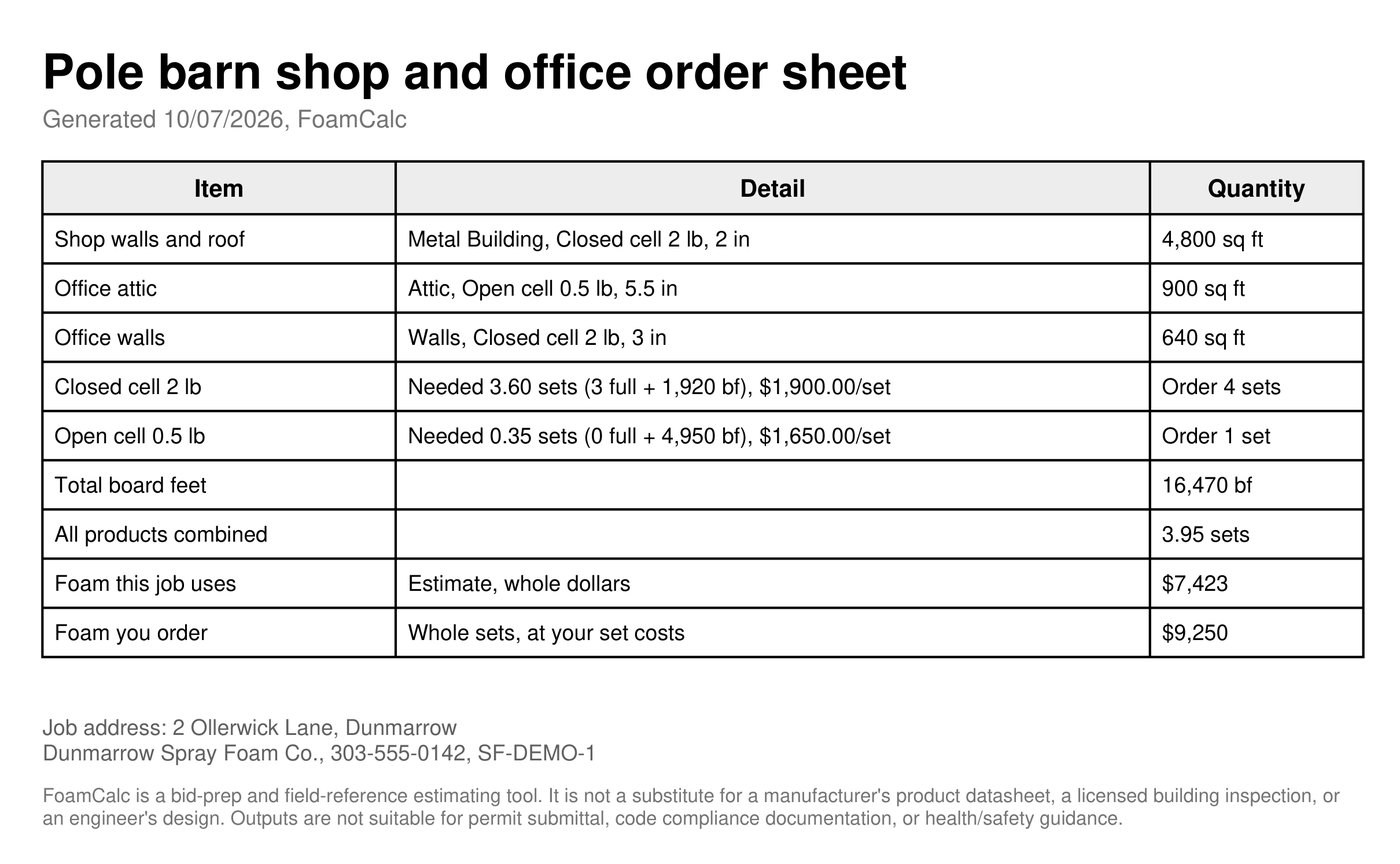
The order sheet
Whole sets to order by product, with your set costs. The same step sends your supplier an order list of the sets alone. Neither is the document the customer sees.
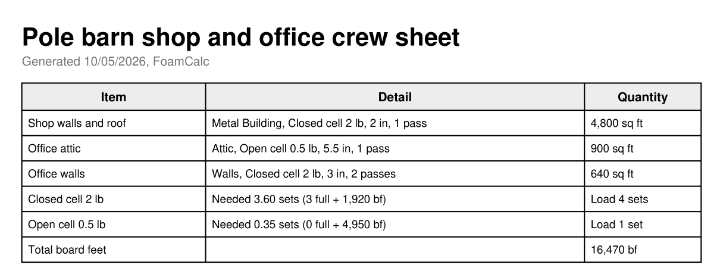
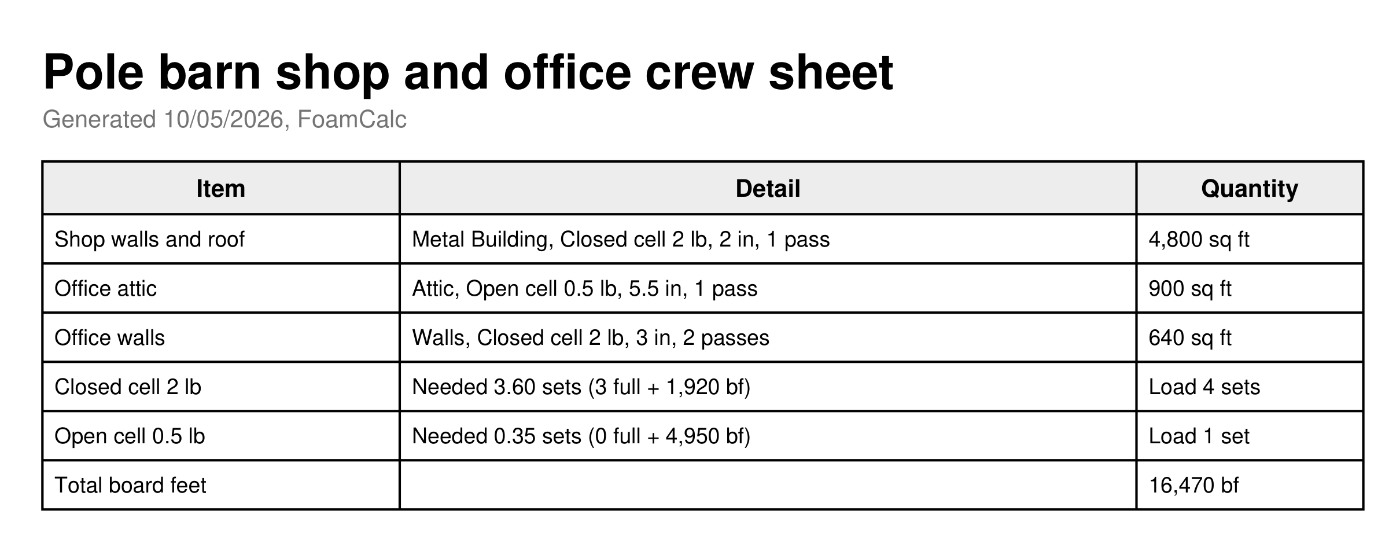
The crew sheet
Each zone with its product, thickness and passes, the sets to load, and total board feet. No prices on it.
The drum label is where the yield starts
Cold substrate, humidity and technique take part of the rated yield away. FoamCalc adjusts for the job's conditions, then its yield log keeps what actually happened and suggests a default from your own jobs, which you accept or decline.
Every figure here is one of FoamCalc's starting defaults, and yours to change.
Also in Pro
The rest of the toolkit, each one a screen of its own.
Free and Pro
The calculator is free for good. Pro is the job, the money and the documents.
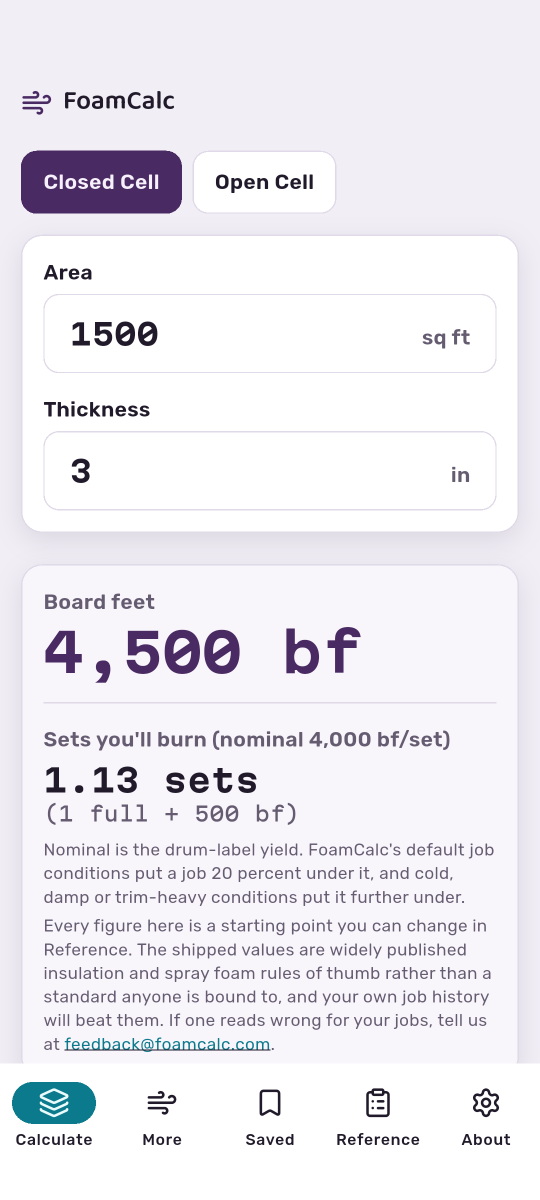
Free The calculator
- ✓ Board-foot calculator: area times thickness, closed cell or open cell.
- ✓ Sets at the drum-label yield, as whole sets and board feet left over.
- ✓ Up to five saved calculations.
- ✓ Edit every reference figure the app uses, in the Reference tab.
- ✓ See your calculation as the bid document a customer would get.
- ✓ No account, no ads.
Pro The job
- ✓ Everything in Free.
- ✓ A job from customer to bid in seven steps, with zones for attic, walls, rim joist, crawlspace and metal building.
- ✓ Whole sets to order by product, and the foam the job uses against the foam you order.
- ✓ Job cost in dollars, markup and margin side by side, and your profit at the price you set.
- ✓ The proposal for the customer, the order sheet for your supplier and the crew sheet with no prices on it.
- ✓ Saved jobs marked Draft, Sent, Won or Lost.
- ✓ Real-yield adjustment for the job's conditions, and a yield log that learns from your own jobs.
- ✓ Set inventory, R-value solver, flash and batt, pass planner and production estimator.
- ✓ Unlimited job templates, and PDF, CSV and share-sheet export.
Pro pricing
One Pro, two ways to pay. Cancel any time in your App Store or Google Play account.
Month to month. Stop when the work does.
The trial is on the annual plan, for new subscribers. Cancel before it ends and you are not charged.
US dollar prices. Your local currency and any tax are set by the App Store or Google Play at checkout, and the store's price governs. Billed by Apple or Google; FoamCalc never sees your payment details. Restore purchases from the app's upgrade screen.
Nothing you enter leaves the phone unless you send it
Bid your next job in FoamCalc.
On Google Play now. The iPhone app is not in the App Store yet.
iPhone and Android. United States and Canada.